Automated workflows for ingest and file movement
Playout Automation Software Designed for Broadcasters of All Sizes
Let’s Talk About OASYS
The Integrated Playout Software Solution That Broadcasters Love
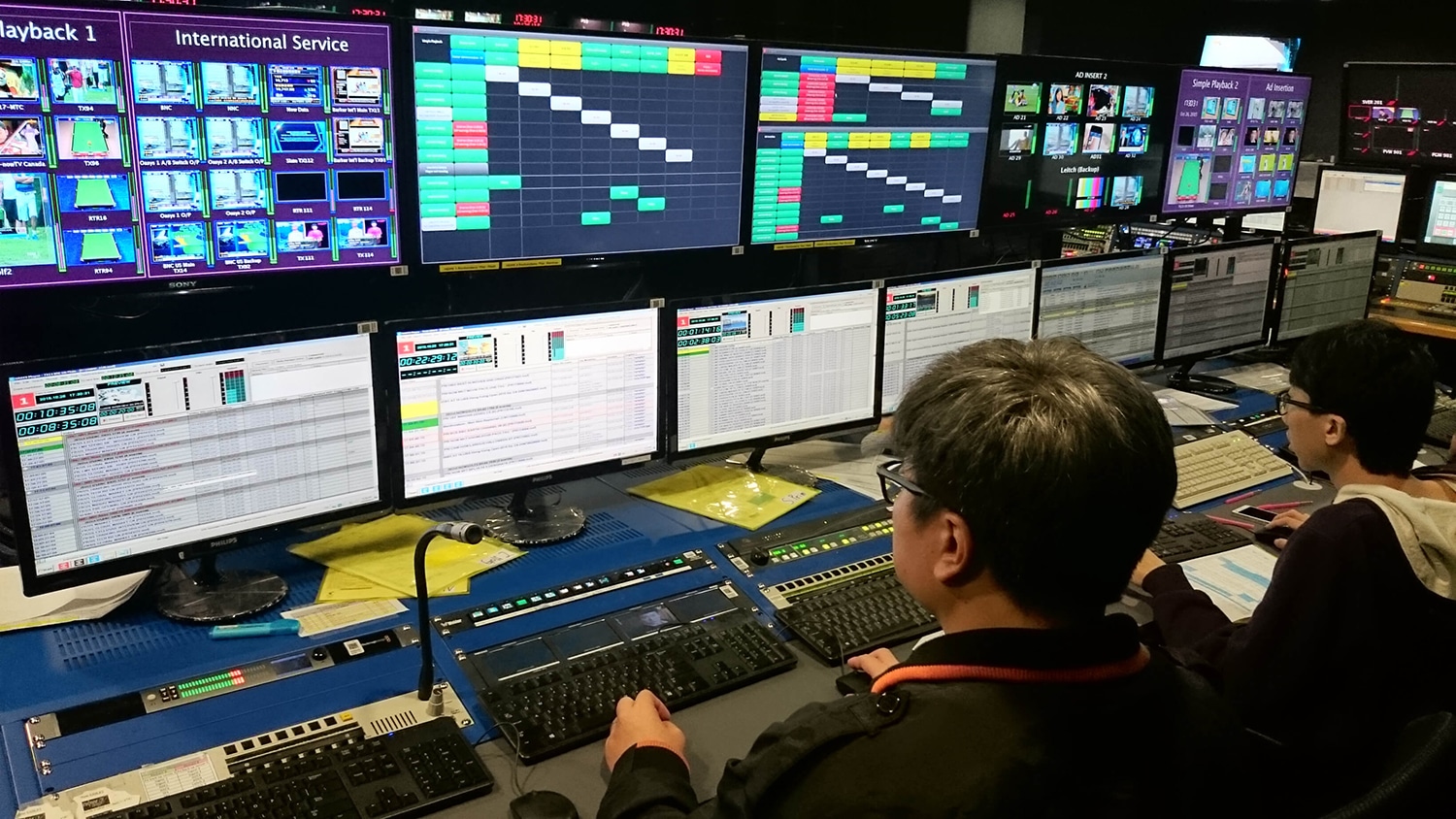
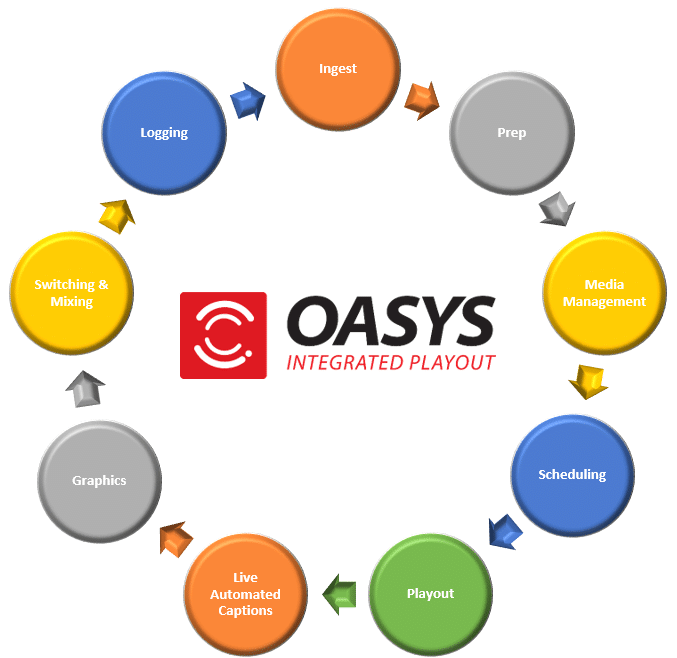
OASYS Integrated Playout is an innovative video playout software solution used by broadcasters around the world. Streamline your playout and broadcast operations with an integrated software playout solution that fully integrates and automates the preparation, processes and workflows that impact your staff, on-air quality and reliability.
The software modules in OASYS are flexible and well designed to meet your operational and functional needs today and into the future. As your requirements change over time, upgrades are much easier since they are based on software updates rather than hardware investments.
OASYS Features and Benefits
OASYS Video Playout Software
Video playout software, also referred to as playout automation software, is used to create a frame-accurate schedule, or playlist, of content for broadcast, satellite or cable systems. A typical playlist includes live and/or recorded programs, commercials, promo‘s and PSA’s.
The Advantages of Integrated Playout Software
Integrated playout software provides advanced features and benefits when compared to traditional Master Control systems:
- Workflows are simplified, automated and more streamlined thus improving staff productivity.
- Integrated playout reduces your investment in hardware as special purpose boxes are eliminated and replaced with multi-functional software on standard IT, off-the-shelf servers that save floor space and reduce utility costs.
- With less hardware and fewer vendors, support and maintenance contracts are reduced or eliminated.
- Remote access improves your ability to make system or schedule changes without a late-night trip to the station.
- Full system redundancy is much easier to attain with integrated playout and improves overall system reliability.
What Are Broadcasters Saying About OASYS?
Create An Even Better Playout System With Our OASYS Optional Modules
Archive Plug-In
Integration of file reading and handling processes to enable pull from Archive systems. Working support for RESTORE from FPD DivaArchive or FTP/external NAS – triggered from missing files in the playlist.
Audio Leveling
Automatically control audio gain when playing back file-based content using metadata stored in XML side-car files. Configure whether the target loudness level and audio processing of the primary file event will be attenuated or amplified by a fixed amount for the duration of the event. Meets EU standards only.
Avid DNxHD Plug-in
Adds support for playback of Avid DNxHD files. Note: must also be separately licensed on servers running Player Backup and on the server/workstation running Browser.
BroadStream Media Exchange
BroadStream Media Exchange is an application designed to help broadcasters streamline workflows for managing third-party, long-format digital video content (such as content from Vigor’s PitchBlue® and ExtremeReach™ Pathfire). It allows broadcasters to select files and include associated metadata (such as trim-in/trim-out points), rename files to match traffic information, and directly ingest files for playout by skipping the transcoding process, as OASYS can play these files in their native .ts format, thereby reducing manual prep time.
Browser
Browser provides media file and metadata review and modification on a Windows client PC or on a full SDI server. You can review files and set trim information and check to see how a file will look with different aspect ratio settings. Browser can create and edit metadata for files saved as an XML side-car file in the same folder as the media being reviewed. This metadata can then be used by OASYS Player to override the default trim-in/out values used or to allow loading of points for segmented file playback.
BXF Interface
Web-services interface for import of Schedule data and export of As-run reporting via BXF protocol. Note: Development of this interface has been completed using BXF in the formats used by MediaGeniX and Myers ProTrack. BXF is not a strictly defined format other traffic systems may not be compatible without additional development. Requires Schedule Importer.
The BXF Interface provides the following functions:
- BXF Schedule Import (Full Playlists) via Webservice
- BXF Schedule Import (Full Playlists) as XML file
- BXF As-Run Export (24-hour report – once per day) as XML file
Clip Player
The Clip Player module is not licensed for broadcast television playout. It is intended for non-broadcast scenarios such as: simple playback of video files using a manually prepared playlist or simple pre-set loop; manually controlled playback into a studio mixer/switcher; use as a standby source playing a pre-defined loop. The module supports a single Program output and an Edit/Preview output. It does not support graphics, live input, remote triggering, subtitling, or playlist synchronization, which require full licenses of the OASYS Player.
CompuSat Plug-in for HUB
The CompuSat module provides both Manual and Scheduled control of the Switcher Router Position, Receiver Source, Satellite Source, Transponder Source, and Antenna source. It will also allow for scheduling offsets and provide source and tuning status from the CompuSat Control device.
Manual recordings can also be prepared easily using the scheduling system built into Maker so an operator can quickly set up a recording and associate the event with the proper Receiver, Satellite, Transponder and Antenna source to pick up last minute content as needed.
Designer
Feature limited version of OASYS Player software to be used for preview use only, not licensed for channel playout to air. Item is intended to be used as a preview channel within a playout area or by graphics departments for template preview. When used for preview alongside BroadStream Player it will be enabled with graphics, subtitle processing, additional inputs/outputs as per the main channel instances. An OASYS logo is permanently visible on the output.
Dolby Atmos Encoder
Dolby Atmos(TM) (7.1 Surround sound) IP only provides a high-quality 3D spacious sound experience and a richer surround audio experience for viewers with a Dolby Atmos(TM) approved sound bar or television. This feature amplifies the small sounds that are usually hard to hear and provides a high-quality 3D spacious sound experience with a richer surround audio.
Dolby Digital 5.1
Dolby Digital 5.1 is the global standard for home theater surround sound. It delivers 5 channels of audio and 1 dedicated woofer for HD broadcasting that also provides a stereo version of the 5.1 audio.
Dolby-E Encoding & Decoding
Processing of incoming live audio or files with Dolby encoding, conversion to PCM to allow mixing, encoding of output to Dolby E.
DVB Subtitle Processing Ext
Generation of DVB compliant ASI stream (over IP) of Subtitle Bitmaps. One output stream is a single language subtitle stream to a single IP destination. Each additional language and/or destination requires separate licensing.
EAS Extension
Provides compatibility for SAGE and DASDEC Emergency Alert Systems. SAGE is controlled exclusively via serial control (requires audio card in Player server or embedded audio to Player input). DASDEC can be used with serial control (requires audio card in Player server or embedded audio to Player or use DASDEC EASNET option to provide Ethernet based control of Alert crawls and Alert audio files. Alerts are triggered by GPI so the OASYS GPI/O option is required with HUB.
File Checker Module
With the addition of File Checker, Manager can perform a simple file analysis to determine if a file is playable within the system. It uses definable pass/fail criteria and different destination folders and is used to detect file errors prior to air.
Global Media Library
The Global Media Library is a distributed database architecture that is used to manage multiple, independent Media Library services on different machines. It creates and maintains an index of all media file details and their storage volumes. The GML service connects to all Media Libraries across a system to look for conflicts and ensure all metadata is synchronized. Operators interface with the Global Media Library via the Media Library Client application from any machine in the network – the Media Library Client is installed alongside OASYS Player.
Graphics Extension
The Graphics functionality within OASYS Player provides high quality graphics and options. The basic Player includes scheduling for a single logo as an animation or static file. The Graphics Extension option adds more features and flexibility for multi-layer graphics capability including dynamic graphic generation, channel branding, logos, lower thirds, tickers, scrolls, squeeze backs, picture in picture, and much more. The OASYS Graphics Engine uses graphics templates that once built can easily be included in schedules to further automate your channel activity.
HUB
Control application with plug-in architecture which can be used to provide control connections between 3rd party devices/systems and BroadStream Software. The standard application supports interfacing with locally installed GPI devices for connection to/from locally running instances of OASYS Player/Local. Use of GPI interface may require additional hardware options to be installed in the machine. Includes Watchdog.
HUB Batch Triggers
Allows a predefined batch file to be executed when a predefined input trigger of any type is detected. These batch files are custom made and can perform any actions required by the specific workflow.
HUB Broadcast Router Control
Allows a predefined batch file to be executed when a predefined input trigger of any type is detected. These batch files are custom made and can perform any actions required by the specific workflow.
HUB Triggers
Required for routing of GPI and UDP triggers between OASYS Player/Local applications and/or between BroadStream Player and 3rd party systems/hardware. Trigger routing can include configurable delay. Trigger plug-in allows a GPI device to be shared between multiple instances of BroadStream Player/Local across a network. Includes limited support for dynamic routing of triggers based on Redundancy Manager status (please discuss full requirements with BroadStream prior to order). Use of GPI interface may require additional hardware options to be installed in the machine.
Kantar Audio Watermarking
This optional module enables OASYS Integrated Playout to create complete audio watermarking solution using Kantar Media’s audio watermarking technology. This module is sold as one license per channel. For redundant systems the back-up license is available at no charge. A fully licensed version from Kantar Media is required for activation.
Logger (As Run)
OASYS Player generates an As-Run log created from the actual content that was played. OASYS Logger can be used as a client application to allow remote connection to multiple instances of OASYS Player and perform As-Run log analysis (e.g. identify all occasions where a specified file has been played). Or, reports can be exported from OASYS Logger in configurable formats for automatic consolidation on a third party traffic system.
Maker
OASYS Maker application provides a simple file creation solution, allowing you to record from tape based, or live based material. Files can be made in a variety of common formats compatible with editing and playout systems.
At a glance software features:
- Easy file list creation or import
- Manual recording option for ad-hoc projects
- Scheduled recording by time of day
- Repeat recording schedule for repeat recordings by day or week
- Individual or batch file creation from VTR
- VTR and router control
- Simultaneous broadcast and proxy file recording
- Time code burn in on proxy files
- Create a standard and simple file naming convention
- Create and save metadata during file creation
- File validation process
- File trimming process
- File copy process
- Client can monitor multiple file creation channels
- Client can log all files created
- Record VITC within VBI
MAM Plug In
Integration of file reading and handling processes to enable file searching, file retrieval and file updates from/to MAM systems using API. Development of third party API or other integration may be required (see accelerated development line item). Fully supported MAM System(s): Myers. Partially supported MAM System(s): MASSTECH
Media Manager
OASYS Media Manager integrates with many third party NAS storage solutions that provide standard SMB/CIFS access and file reporting and is used to locate and load media that is not found on the local media cache, i.e. Missing Media. Other storage technologies can also be used as long as the appropriate client software is available and appears as a local drive (e.g. NFS Mount //MOON/F/Media/).
Metadata Sender
OASYS Metadata Sender is an application for sending data to graphic plugins via UDP protocol. The Metadata Sender workstation can located be anywhere with a suitable network connection to the OASYS Player instance(s) being controlled. An operator can send metadata triggers to graphics sequences with the on-screen results dependent on how the graphics sequence has been programmed. The Complex Graphics option in PLAYER is required for this feature to function.
Multi-Channel Framework
Central framework for communications between OASYS Player instances and Multi-Channel Client. Provides web-based access for channel monitoring and API hooks for 3rd party systems. NOTE: additional per users access licences are required in addition to this line item – concurrent user access will be limited based on number of licences purchased per site (shared between framework servers). Supports up to 20 Multi-Channel Clients and up to 20 PLAYER instances (10+10 [Main+Backup] group for example).
Includes Watchdog
Multi-Channel Web Client
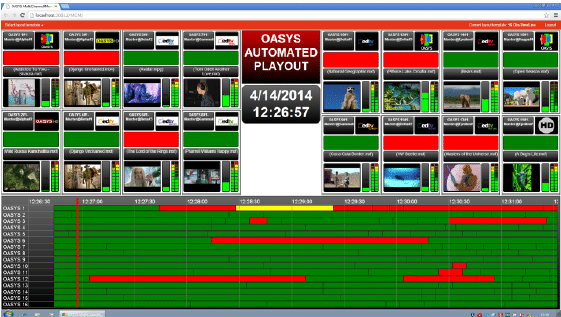
The Multi-Channel Web Client is an intuitive HTML5 compliant browser interface designed to manage and monitor the OASYS playout automation platform and its workflow tools. The Web Client is a platform agnostic, portal-based application that enables a single operator to easily access in-house or remote broadcast facilities to monitor and control standalone servers, VM (Virtual Machines), local Edge Servers and future Cloud based installations. The MCM framework engine itself can be deployed as a Virtual Machine. Because the MCWC is HTML5 based it can be used on any device providing the user with the ability to access any authorized channel in any location to monitor and make changes. The user can monitor a single channel or hundreds of channels using this simple web application.
OASYS Player Backup
Player software to be used for redundancy only, not for live channel playout except during emergency or maintenance. For basic backup operation Player Backup will be set for manual or automatic channel synchronization providing playout of all schedule events in parallel to a main channel but with no automatic failover switching of a downstream router and master/slave states are controlled manually by an operator. If main and backup player instances are managed by Redundancy Manager then the failover of transmission routing and master/slave synchronization states will be performed automatically.
Includes Watchdog, Device Control, LML and Storage Manager
Playlist Editor (Scheduler)
For applications that do not use a Traffic system, OASYS offers a Playlist Editor for off-line schedule creation.
Polistream
Inserting Closed Captioning and Subtitling typically requires, yet another, box to be added into your production, playout and transmission chain. OASYS breaks the standard by integrating Polistream, Screen Subtitling Systems award winning solution, as an optional software module within OASYS.
With the vast array of different Captioning and Subtitling formats found in today’s broadcast world, OASYS teams up with the award winning Polistream Transmission system, to not only support these needs, but also provide Live Captions from News Room and Sporting Events.
Supporting all current industry standard Caption and Subtitle Files, for UDP, IP, ASI and SDI applications*, the advanced features provided in Polistream can be simply integrated into your existing broadcast workflows to allow for Multi-Language, Multi-Format playout without the need for any additional hardware systems.
Be it from File, Live Input or as part of a transcode processes, OASYS with Polistream inside has you covered.
*Some differences may apply depending on your situation and infrastructure. Please check with OASYS Sales Engineering to confirm your requirements.
Additional Polistream Modules
- Polistream Language Encoder for OASYS Player provides additional languages; 1 language per stream.
- Polistream Subtitle Extension for OASYS Player supports any form of subtitle playout from file. All software inputs and outputs are included for Timecode/PCR Extraction and and subtitle transmission/insertion. Requires one or more language licenses per channel.
- Polistream OPT OUT Trigger Module for OASYS Player inserts triggers for control of remote switching. One required per channel with opt-outs.
Redundancy Manager
OASYS Redundancy Manager provides a true 1+1, N+1 and N+M playout redundancy monitor and control solution. This software provides the operator with supervision and control functionality from a single user interface to monitor the health of a playout server or servers and channel status as an example. The system uses a graphical display of redundancy status and displays which servers are playing which channel and which are routed to air. The operator can monitor the status of the software and hardware and make manual decisions on which channels to run on which servers. Redundancy Manager can optionally be set to operate in Automatic Mode in which case the decisions will be made automatically based on the reported heath status and the configured channel priority. In the screenshot below you will see the list of servers on the left side and channels across the top. The Redundancy Manager identifies which channels are on air. Red indicates a problem that should be addressed.
Redundancy Manager Add-On
Additional instances of Redundancy Manager can be installed on different machines to act as a backup to another instance or to allow configuration of additional playout groups that will be separately managed. NOTE: If used as a backup to another instance, only 1 instance can operate in ‘Auto’ mode.
RM Automatic Change Over GPI
Allows Redundancy Manager to connect to an external automatic changeover card via GPI (controlling switching by sending GPI pulses and monitoring card status by monitoring GPI tallies). GPI interface hardware supplied separately. Supported ACO cards: Miranda HCO-1822 and Evertz 7700 ACO
Schedule Importer
Schedule Importer is used to import and/or convert files from third party traffic systems. Playlists are converted into OASYS schedule format (.OST or .XML). Schedules include primary and secondary events and any schedule created through Schedule Importer can retain the ID passed from the originating software, which is used for as-run log consolidation. There are two versions: an XML schedule importer and a Text-based importer.
SCTE - 104
The SCTE-104 module enables OASYS to insert SCTE-104 DPI messages into VANC data for triggering of content insertion by downstream systems. Insertion triggers are defined in the playlist. Decoding of inbound SCTE-104 triggers embedded as VANC in SDI/HD-SDI live input is performed standard in OASYS Player.
SCTE - 35
Insertion of SCTE-35 DPI messages into VANC data for triggering of content insertion by downstream systems. Insertion triggers are defined in the playlist. Decoding of inbound SCTE-35 triggers embedded as VANC in MPEG Transport Stream live inputs is performed as standard in PLAYER.
Seachange Native File Playback
SeaChange file reader, enables playback for currently known and supported SeaChange file formats.
Secondary Recording
Playlist items can be set to record and will be captured complete with any secondary items such as audio and graphic overlay. Graphics scheduled on the Live Graphics Layer are NOT be captured thus providing a clean video recording.
Live recordings can be used to capture any combination of video clips, statics, live events, picture in picture effects etc. and are made in the native resolution of the channel.
Sender
OASYS Sender is for remote triggering of the events or hotkeys in OASYS Player through an events trigger name (defined in Player). The Sender application also has an option for defining multiple users and rights, which allows you to have multiple instances of the application opened on a single workstation.
Storage Manager
Automate these functions with Storage Manager:
- Automatic Housekeeping (delete files when storage is full with playlist awareness)
- Purge-list Processing (carries out deletion of files as instructed by 3rd party systems)
- Caching from external storage/archive (search for missing files not found on NAS)
- Simple Archive Integration (copy all files to archive)
Time Delay Input Processing
Recording and replay with user specified time delay or replay on demand. For use with PLAYER only, not intended to be run as a standalone application.
TimePlay Input Processing
TimePlay unleashes the true power of IT based playout to offer new operational workflows making it possible to operate services that would not be practical using traditional hardware based systems. Each live input can be set to perform a 24 hour continuous recording of the live input to disk. Time Play can be used with SDI or HD-SDI inputs only. Not compatible with N+1 or N+M. Secondary Recording Playlist items can be set to record so that files are captured complete including any secondary items such as audio and graphic overlay. Graphics scheduled on the Live Graphics Layer are NOT captured thus providing a clean video recording. Live recordings can be used to capture any combination of video clips, static events, live events, picture-in-picture effects etc., and are captured in the native resolution of the channel.
WatchDog
Watchdog is a service that provides system health data that is used by the Redundancy Manager to display status and make decisions about failover. Watchdog monitors OASYS processes and can optionally restart them if for some reason they are not running or if their operating characteristics go outside configured tolerances. It can also monitor the temperature of the system’s Matrox video card. In the event of a software or hardware issue Watchdog can notify the user by displaying a balloon message using an icon in the system tray. The icon will turn red denoting a problem. Watchdog can also be configured to send an email to the engineering team or raise an issue via SNMP trap if a fault condition is triggered. Remote monitoring is available via HTTP web-interface.
WSI Extension
Allows integration with Weather Services International (WSI.COM) from PLAYER Software through EAS Service for standard and national weather alerts.
PRODUCT INQUIRY
What Our Clients Are Saying
READY TO GET STARTED?

CORPORATE HEADQUARTERS
BroadStream Solutions, Inc.
831 Auburn Rd
Suite 210 #3230
Dacula, GA 30019 USA
Tel: +1 404 327 8300
CONTACT US
PROFESSIONAL MEMBERSHIPS